
Find the right
playground.
Anywhere.
See the photos, the equipment and the age range before you decide it is worth the walk.
 Free. For iPhone. Coming soon.Tell me when it is out →
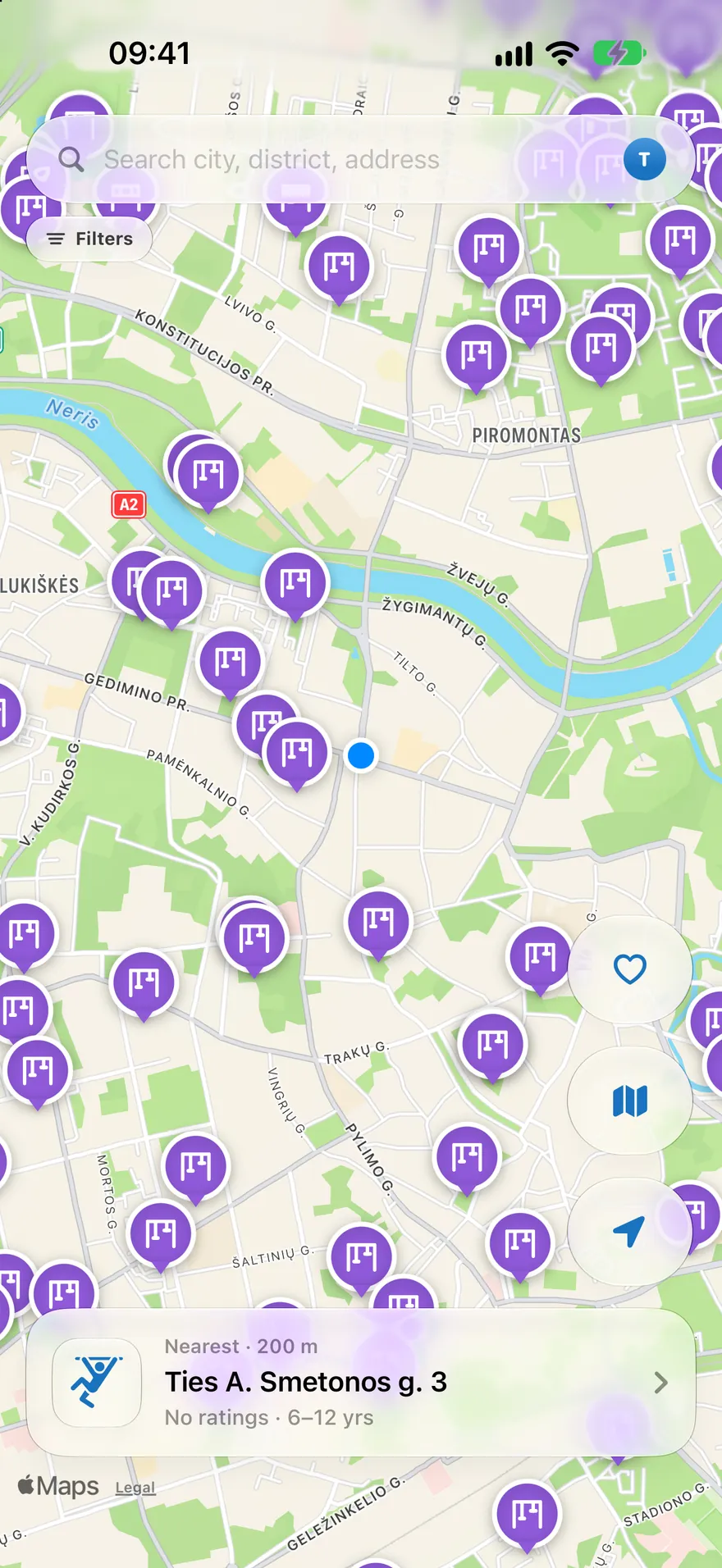
A playground map that goes where your family goes.
Open the map and see what is actually around you, at home, on a weekend, or in a city you have never walked before. Search an address, filter for what your child needs, and get directions.
Search anywhere
A city, a district, an address, or just the ground under your feet.
Filter for your child
Age range, equipment, fenced, shade, toilet nearby. Filters are free.
Then go
Hand the route to Apple Maps and walk.
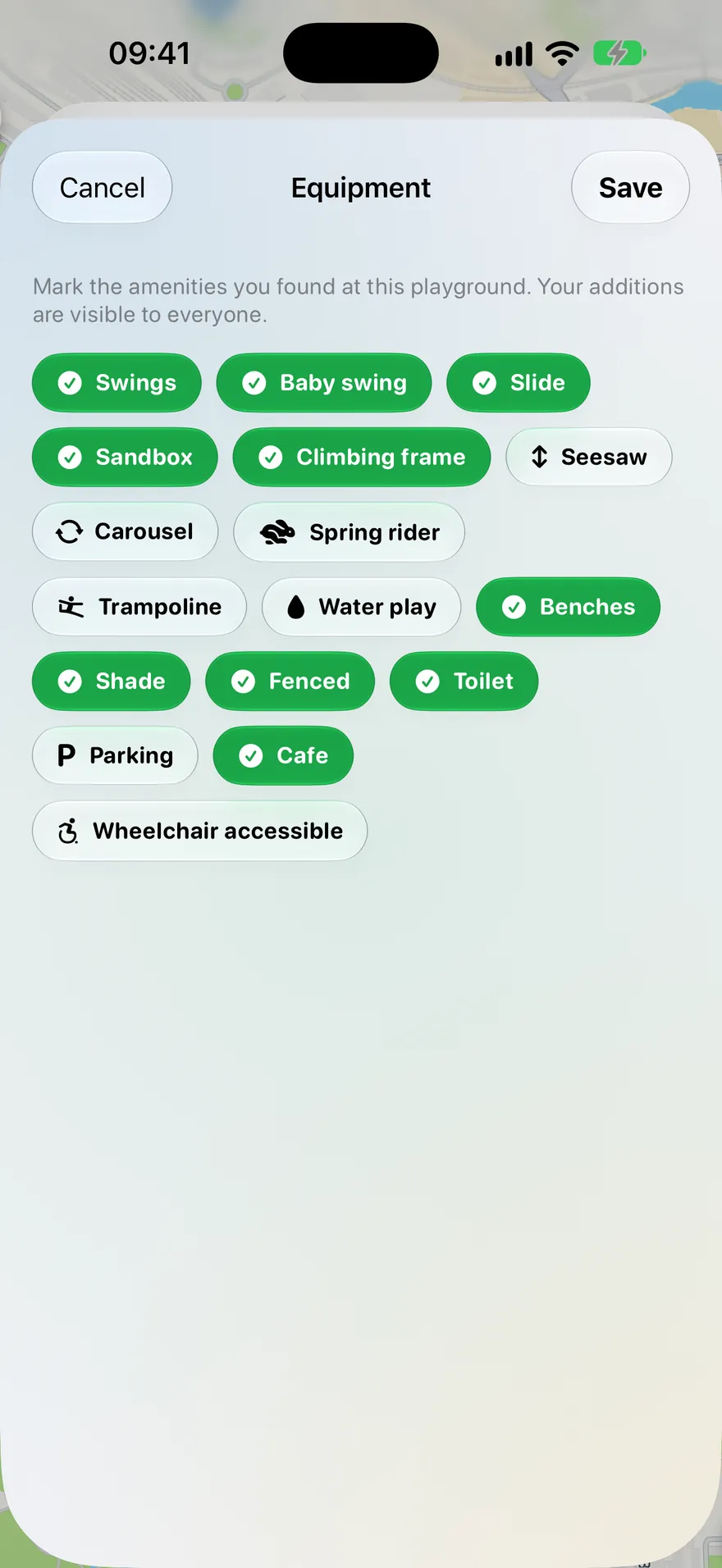
Seventeen things worth knowing.
KidMap records the equipment and facilities that decide whether a playground suits your child today.
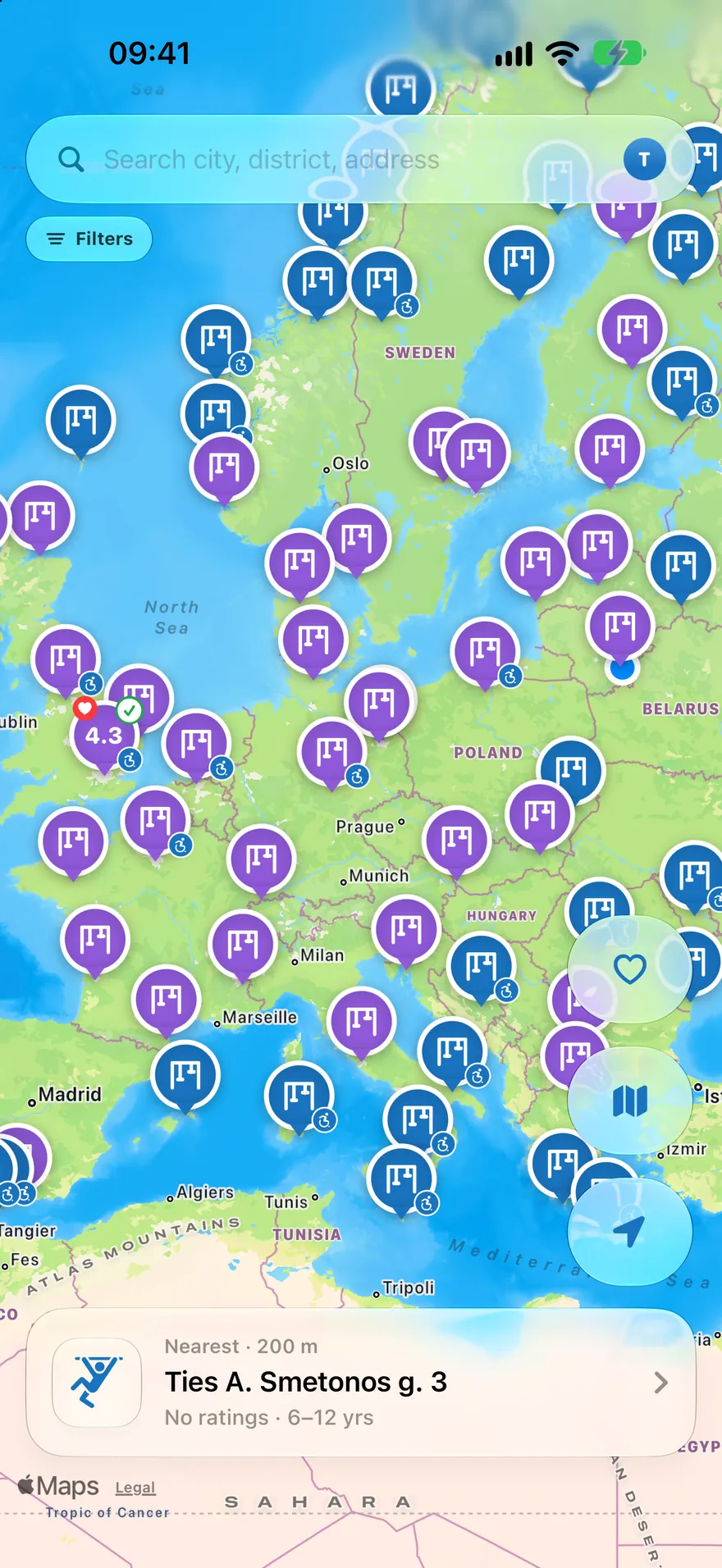
Europe and beyond.
KidMap brings playground information from public, official and community sources into one map, carried in the app rather than assembled city by city.
Coverage and the amount of detail vary by country, city and data source. Some places have full equipment data and photos; others currently have locations only.
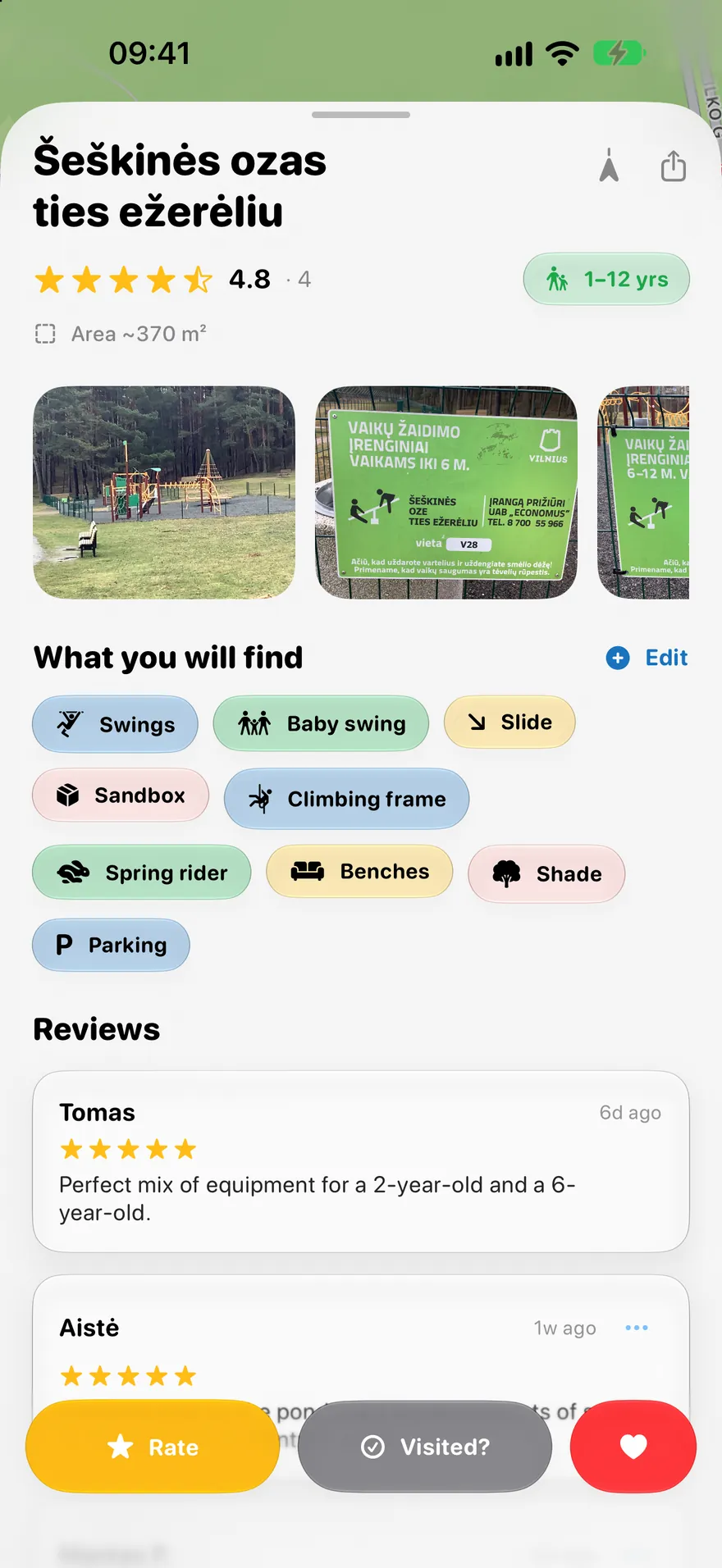
Know what’s there before you go.
A playground can show photos, equipment, age suitability, area, ratings and directions. KidMap records seventeen kinds of equipment and facilities.
The default marker.
Review-backed rating above 4.5.
Official or family-contributed pictures.
Available information depends on the playground and its local data source. Not every playground has every detail.
Better with every visit.
Visited a playground? Add what you found and help the next family know what to expect. Mark equipment, add a photo, fix a detail, or add a playground that is missing.
A moderator checks new playgrounds before they reach the shared map. Photos, equipment and reviews pass automatic checks first. Browsing needs no account; contributing and reviewing use Sign in with Apple.
Take KidMap with you.
Find playgrounds near your hotel, around the old town, or along the route. The same map and the same detail work in a city you have never visited.
Near where you are staying
Search the address before you arrive and know where the nearest break is.
Along the drive
Find a stop between two long stretches of motorway.
Between the museum and lunch
Twenty minutes of running around, then lunch.
Start with a city
 London
 Paris
 Berlin
 New York City
 Toronto
 Tokyo
 Sydney
Built with family privacy in mind.
Playground photos can include people, so KidMap processes every uploaded picture before it is stored.
Faces are blurred
Detected faces are blurred automatically during upload.
Location data is dropped
Photos are re-encoded, so the original file’s GPS and camera metadata do not travel with them.
Browse without an account
No sign-in is needed to open the map and use it.
Automatic face detection is not perfect and KidMap does not claim it is. An inappropriate photo can be reported in the app, and a moderator removes it.
Useful from the moment you open it.
Free
Browse the map, search, filter, navigate, see playground details and photos, mark places visited and contribute what you know, with no subscription.
More convenience when you want it.
KidMap works without a subscription. Premium is for parents who want to keep more and see more.
- No ads
- Unlimited favourites
- Visited statistics
- Compare with other parents
Available as a yearly plan or a one-time purchase. Prices are shown in the App Store.
Questions
Is KidMap free?
Yes. The map, search, filters, directions, playground details, photos, visited marking and contributions are all free. Optional Premium removes ads and adds unlimited favourites and personal statistics.
Do I need an account?
Not to browse. You can open the map and use it straight away. Signing in with Apple is only needed to write reviews and make some contributions.
Where does KidMap work?
KidMap ships playground data for 56 countries and territories, with the deepest coverage across Europe, plus the United States, Canada, Mexico, Japan, Australia, New Zealand, and parts of Asia and the Middle East. How much detail exists varies by location and data source.
Is there an Android version?
Not at the moment. KidMap is built for iPhone.
Can I add a playground that is missing?
Yes, and it helps. You can add a missing playground, correct an existing one, mark its equipment and upload photos. A moderator checks new playgrounds before they join the shared map. Photos, equipment and reviews go up after automatic checks and can be reported.
Where does the playground data come from?
From public and open datasets, official and municipal sources where they are available, and families using the app. KidMap does not inspect playgrounds and does not certify that any playground is safe, open or still standing.
Your next playground is already on the map.
Free to use, for iPhone. Coming soon.Tell me when it is out →